
Callyzer service
To get reports based on advanced call analysis, you need to set up your “Virtual Mobile PBX” and “Callyzer” to work together.
To do this, on the web portal “Integration with CRM” at https://fmc.kyivstar.ua/crm-integration/ select “Callyzer” in the “CRM Type” field and save the settings.
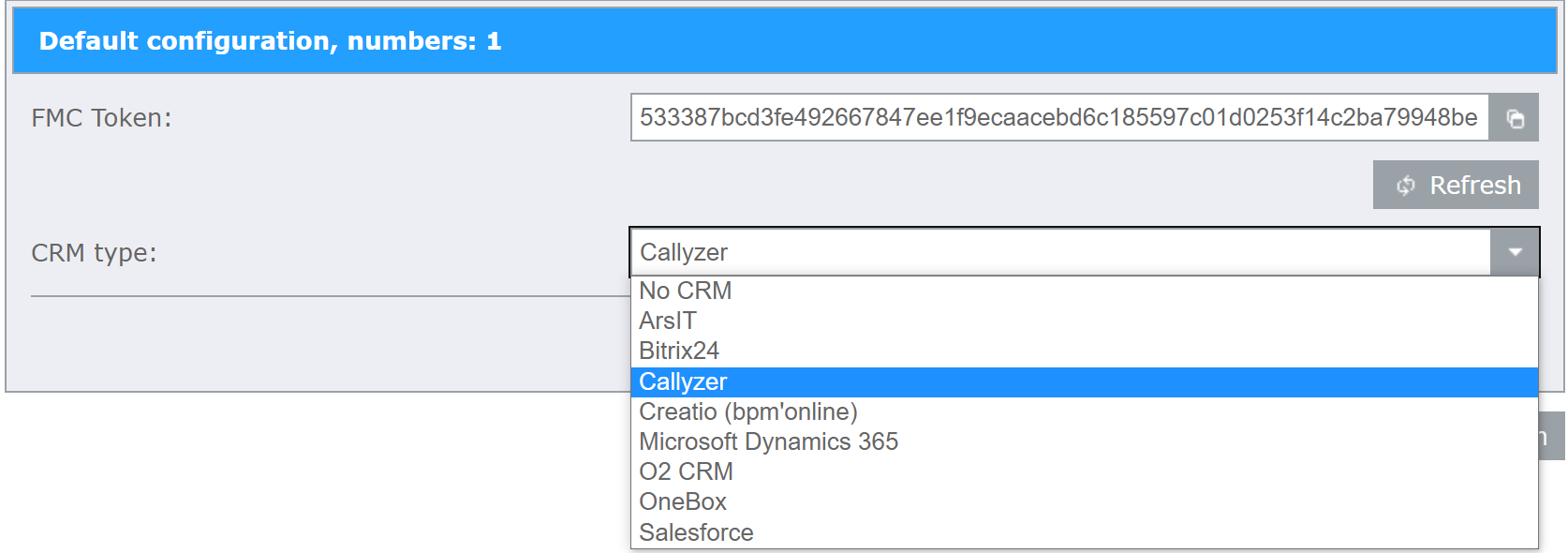
The FMC Token and the list of numbers, for which the analysis is carried out, should be sent to the responsible employee of the Callyzer partner to e-mail: support@istat.com.ua, specifying the name and OKPO of the enterprise. Wait for further instructions in response.
Note
For the analytics to work correctly, both the forwarding numbers and the numbers to which the forwarding is going, must be connected to the Callyzer service.
Note
If you need to enable or disable unconditional call forwarding (CFU) for several numbers, it is convenient to do this using Call forwarding setup (CFU).